How to Download Your TikTok Data
In this guide
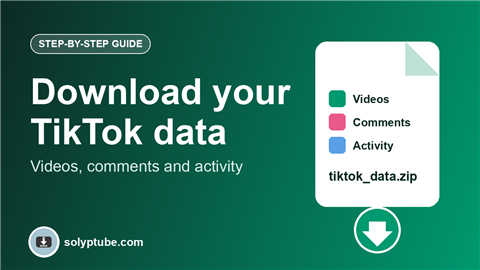
TikTok can give you a copy of the information in your own account: your profile details, your videos, your comments and your activity. It is useful if you want a backup, plan to delete your account, or just want to see what TikTok has stored about you. This guide shows how to request the file, how to download it, and how to keep it safe.
You can only download the data of your own account.
What you can download
- Your profile information.
- Your posted videos.
- Your comments and likes.
- Your activity, such as watch history and searches.
- Your direct messages, if you choose to include them.
How to request your data in the app
- Open TikTok and go to your profile.
- Tap the menu (three lines), then Settings and privacy.
- Tap Account, then Download your data.
- On the Request data tab, choose which data to include.
- Choose the file format.
- Tap Request data.
Choose the file format
- Text file. Easy to open and read.
- JSON. Meant for programs and for moving data to another service.
How to download the file
- Wait while TikTok prepares the file. The request tab shows its status.
- When it is ready, open Download your data again and go to the Download data tab.
- Tap Download and confirm if you are asked.
- Unzip the file on your computer, or open it with a file manager on your phone.
The file is only available for a limited time, so download it soon after it is ready.
Keep your data safe
- Save it in a private folder or a password-protected archive.
- Do not share the file. It can contain personal details and messages.
- On a shared computer, delete it when you have finished.
Save a single video of your own
If you only need one video, you do not have to request everything. Open your own video, tap the share icon and look for Save video. The options depend on your app version and your privacy settings.
If the request does not finish
- Wait longer. Big accounts take more time.
- Update the TikTok app, then try again.
- Use a stable Wi-Fi connection while you download.
Also on other apps? See how to download your Instagram data and how to download your Facebook data and videos. Posting vertical video? Check the best video size for Reels, Shorts and Snapchat.
Frequently asked questions
How do I download my TikTok data?
Go to Settings and privacy, then Account, then Download your data. Choose what to include and the format, request it, and download the file when it is ready.
Does requesting my data delete my account?
No. It only gives you a copy. Your account stays as it is.
How long does it take?
It depends on how much data your account has. The request tab shows when the file is ready.
How long can I download the file?
The file is available for a limited time only. Download it as soon as it is ready.
Can I download other people's videos this way?
No. These steps cover your own account and content. Ask for permission before you save or reuse anyone else's videos..
Need help with a link?
Our Help page has quick answers and a checklist for links that do not work.
Open Help & FAQ