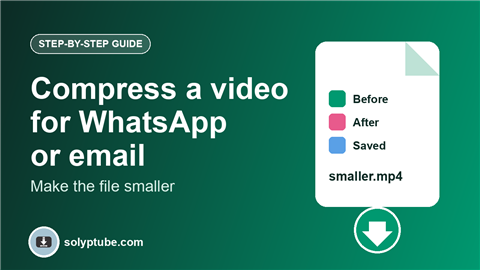
How to Compress a Video for WhatsApp or Email
In this guide
A video that is too big will not send, takes a long time to upload, or gets squeezed hard by the app so the picture turns blurry. The fix is to make the file smaller yourself, before you send it. This guide shows how to compress a video on your phone or computer, which settings to choose, and how small you can go.
These steps are for video files that you already have and that you own or may edit.
The short answer
- Open the free Solyptube Compress Video tool.
- Choose your video. It stays on your device and is not uploaded.
- Pick Balanced quality and a maximum height of 720p.
- Press Compress, then download the smaller MP4.
Why videos are big
File size depends on three things: how long the video is, how sharp the picture is (the resolution), and how much detail is kept (the quality). A one minute 4K video can be hundreds of megabytes. Most phone screens do not need that much, so you can lower the size without a big loss.
Which settings to choose
- Maximum height 720p. A good choice for WhatsApp, email and most phones.
- Maximum height 480p. Use it when the file must be very small.
- Quality: Balanced. Gives a clear picture and a much smaller file in most cases.
- Quality: Smallest file. Use it only when size matters more than looks.
How small does it need to be?
- Email: many email services limit attachments to about 25 MB.
- WhatsApp: videos sent as normal videos are compressed by the app. Sending the file as a document keeps the quality but allows a larger size.
- Instagram and other social apps: they accept large files but compress them again. Upload a clean MP4 in the right shape. See the best video size for Reels, Shorts and Snapchat.
Tips for a good result
- Compress from the original file. Compressing a compressed video again makes the picture soft.
- Trim the parts you do not need before you compress. A shorter video is a smaller file.
- Use MP4. It works on nearly every phone and app. See MP4 vs WebM vs MOV.
- Keep the page open until the progress bar finishes. Long videos take more time, and a computer is faster than a phone.
Is my video uploaded?
No. The tool works inside your browser, so your video never leaves your device. The first time you use it, a converter of about 30 MB is downloaded once and then saved in your browser.
Need only the sound? See how to convert MP4 to MP3. Want a short looping clip? See how to make a GIF from a video.
Frequently asked questions
How do I compress a video for WhatsApp?
Choose your video in the Compress Video tool, pick Balanced quality and 720p, and download the smaller MP4. Then send it from WhatsApp.
Does compressing lower the quality?
Yes, a little. Balanced quality at 720p usually looks clear on a phone. If it looks too soft, try a higher quality or keep the original size.
How can I make a video smaller without losing quality?
You cannot remove all the loss, but you can limit it. Trim the video, lower the resolution only as much as needed, and compress once from the original file.
Why is my compressed video not much smaller?
If the video was already compressed, such as one received through a chat app, there is little left to save. Try a smaller maximum height or the smallest file setting.
Is it free, and do I need to install anything?
It is free. You do not need to install an app or create an account. It works in a modern browser on a phone or a computer.
Need help with a link?
Our Help page has quick answers and a checklist for links that do not work.
Open Help & FAQ