YouTube Thumbnail Size, Change and Save Your Own
In this guide
- The best YouTube thumbnail size
- How to set a thumbnail on a new video
- How to change the thumbnail of a video you already posted
- Thumbnails for Shorts
- How to save a copy of your own thumbnail
- A thumbnail from a video that is not yours
- Why you cannot upload a custom thumbnail
- Why my thumbnail looks blurry or cropped
- Frequently asked questions
The thumbnail is the first thing people see of your YouTube video. A sharp one in the right size helps people click, and a wrong one gets cropped or looks blurry. This guide gives the size to use, shows how to set or change the thumbnail of your own video, and explains how to keep a copy of it.
The steps are for videos on your own channel. Menu names change from time to time, so look for the closest option if yours is different.
The best YouTube thumbnail size
| Item | What to use |
|---|---|
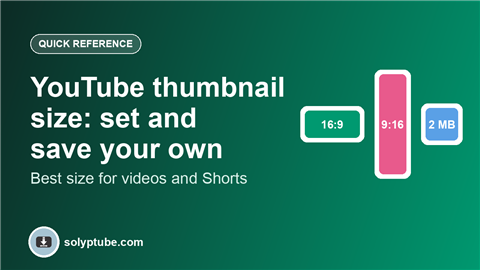
| Size | 1280 x 720 pixels |
| Shape | 16:9 (wide) |
| File type | JPG, PNG or GIF |
| File size | Under 2 MB |
Keep the main subject and any text away from the edges. The small time stamp in the corner covers part of the picture, and thumbnails are shown small on phones, so large and simple text reads best.
How to set a thumbnail on a new video
- Open YouTube Studio and press Create, then Upload videos.
- Choose your video file and wait for the details page.
- Under Thumbnail, pick one of the frames YouTube suggests, or press Upload file to add your own picture.
- Finish the other steps and publish.
Custom thumbnails may need your channel to be verified. If the upload option is missing, check the section on that below.
How to change the thumbnail of a video you already posted
- Open YouTube Studio and choose Content from the left menu.
- Hover over the video and press the Details (pencil) icon.
- Under Thumbnail, press Upload file and pick the new picture, or choose another suggested frame.
- Press Save. It can take a few minutes to show everywhere.
Thumbnails for Shorts
A Short is tall (9:16), and in many places YouTube shows it as a frame from the video. You can usually choose which frame to use as the cover while you upload in the app, and on a computer you may also be able to add a picture in YouTube Studio. If the option is not there for your Short, pick a clear frame as the opening shot of the video itself. For the video size and length itself, see the best video size for Reels, Shorts and Snapchat.
How to save a copy of your own thumbnail
The easiest way is to keep the picture file you made before you uploaded it. If you no longer have it, you have these options:
- Open your video in YouTube Studio, find the thumbnail on the details page and take a screenshot, then crop it to 16:9.
- If you chose a frame from the video, play your original video file on your device, pause on that frame and save a still picture with your video player or editor.
- Download the original video from Studio and take the frame from it. See how to download your own YouTube videos.
A thumbnail from a video that is not yours
A thumbnail is the work of the person who made the video. Only save or use one if you have that person's permission, or if the picture is licensed for reuse. If you do have permission, the YouTube thumbnail downloader loads the thumbnail of a public video from its link.
Why you cannot upload a custom thumbnail
- Your channel is not verified yet. Verify it in YouTube Studio, then try again.
- The picture is over the size limit or in an unsupported file type.
- The video is very new and still processing. Wait a few minutes.
- You are signed in to a different account from the one that owns the channel.
- Your account has a restriction. Check the notices in YouTube Studio.
Why my thumbnail looks blurry or cropped
- The picture is smaller than 1280 x 720 and was stretched. Make it larger.
- The picture is not 16:9, so black bars or cropping appear. Match the shape in the table above.
- The image is heavily compressed. Save it as a high-quality JPG or as a PNG.
- The text sits close to the edge or under the time stamp. Keep a margin.
Frequently asked questions
What is the best size for a YouTube thumbnail?
Use 1280 x 720 pixels in a 16:9 shape, as a JPG, PNG or GIF under 2 MB. Keep text away from the edges.
How do I change a YouTube thumbnail after uploading?
Open YouTube Studio, go to Content, open the video details, upload a new picture under Thumbnail and press Save.
How do I download the thumbnail of my own video?
Keep the original picture you uploaded. If you do not have it, take a screenshot of the thumbnail in YouTube Studio, or save a still from your original video file, then crop it to 16:9.
Can I save the thumbnail of someone else's video?
Only with their permission, or if the picture is licensed for reuse. A thumbnail belongs to the person who made it.
Why is the custom thumbnail option missing?
Most often the channel is not verified yet. Verify it in YouTube Studio, check that you are signed in to the right account, and try again after a few minutes.
Need help with a link?
Our Help page has quick answers and a checklist for links that do not work.
Open Help & FAQ